

This installation guide is designed for Dawn and other Shopify themes that comply with Online Stores 2.0 requirements. We will guide you through the step-by-step process to successfully obtain approval for app embeds on your store.
By default, app embed blocks are inactive once an app is installed. To activate these app embed blocks, users are required to go to Theme Settings > App embeds in the theme editor.
Alternatively, within the Dashboard of this app, you can directly click on the Activate extension in theme button.
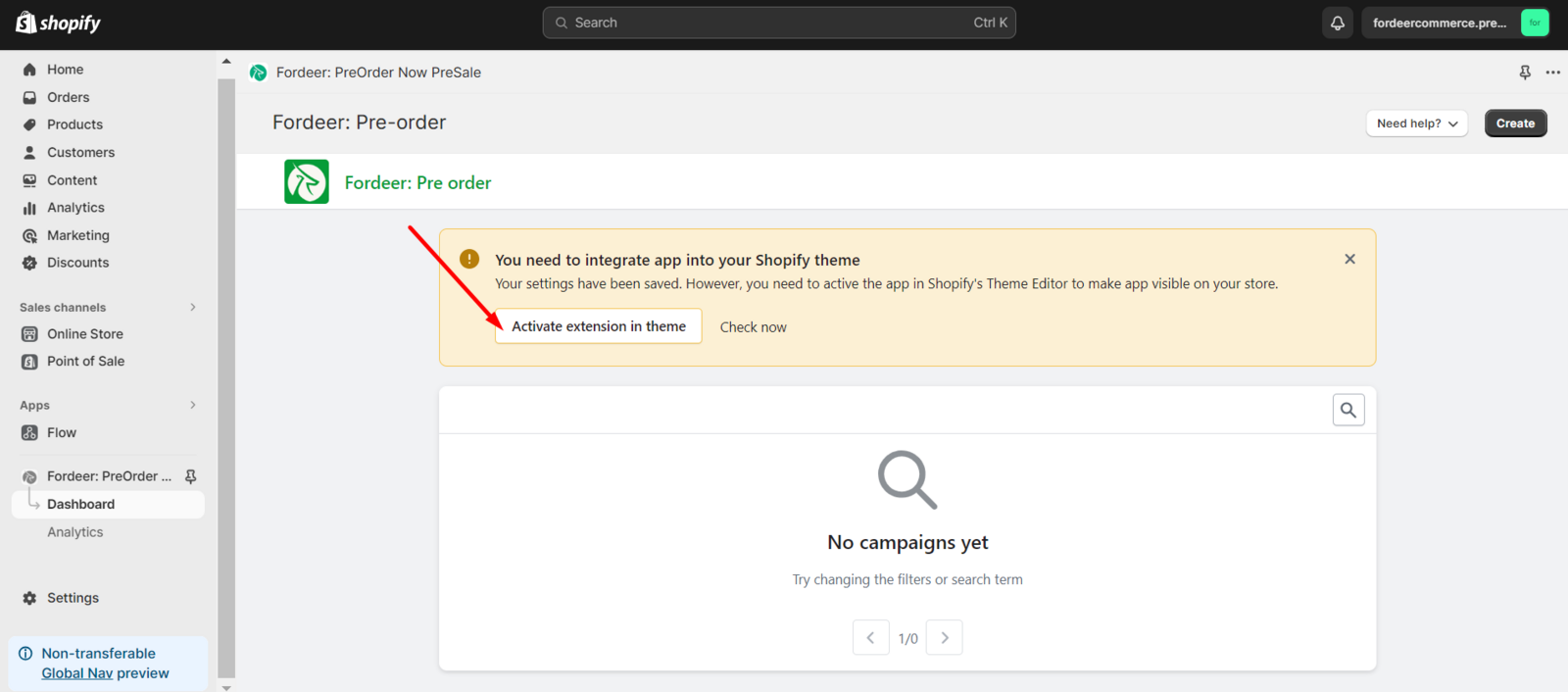
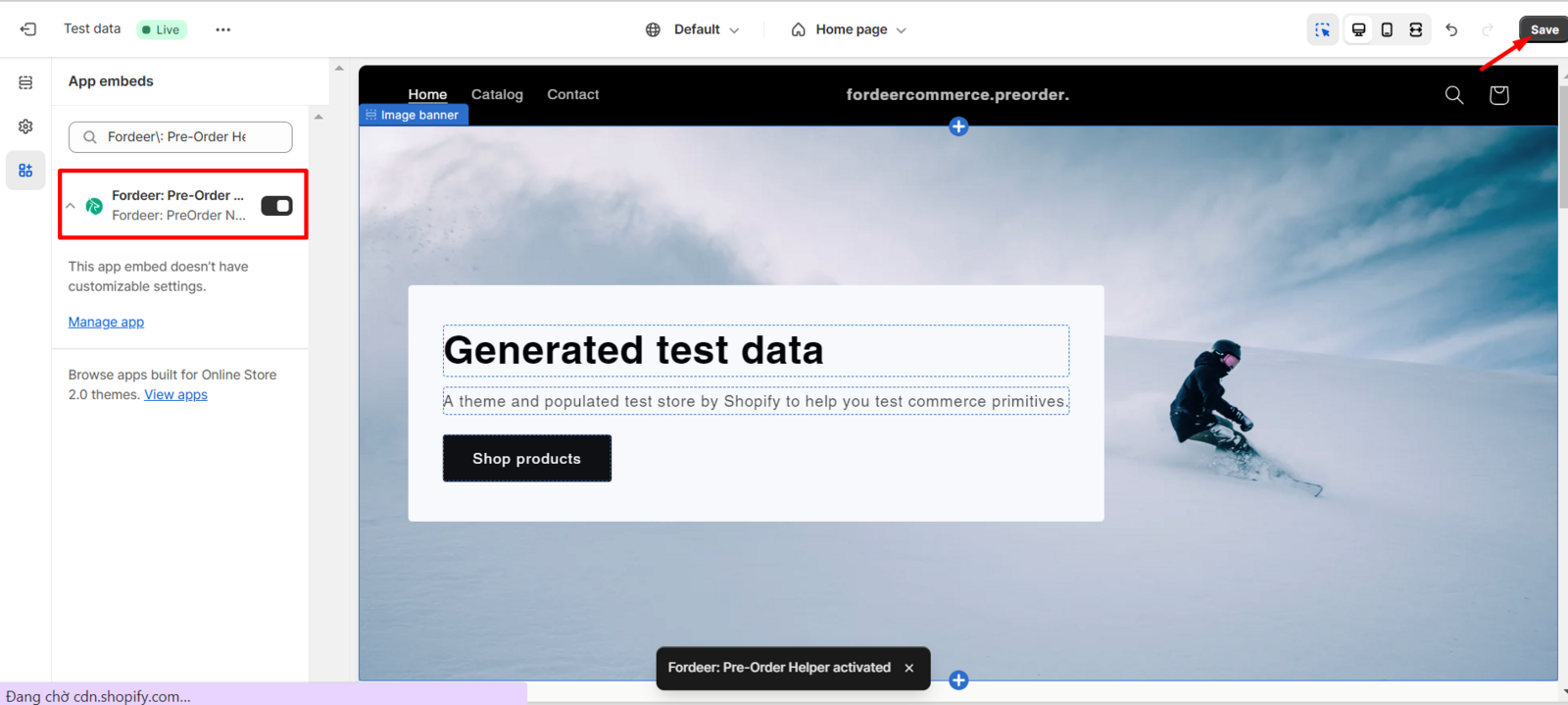
Then, you will access the theme settings page of your store website;
On the sidebar menu in the upper left corner, the Fordeer Pre-Order Helper has already been enabled to allow this app creation to be displayed on your website. Click Save to make sure that you activate the app embed block successfully.
When you are back the dashboard of the pre-order, you can check the status of the pre-order in theme by clicking the Check now button.
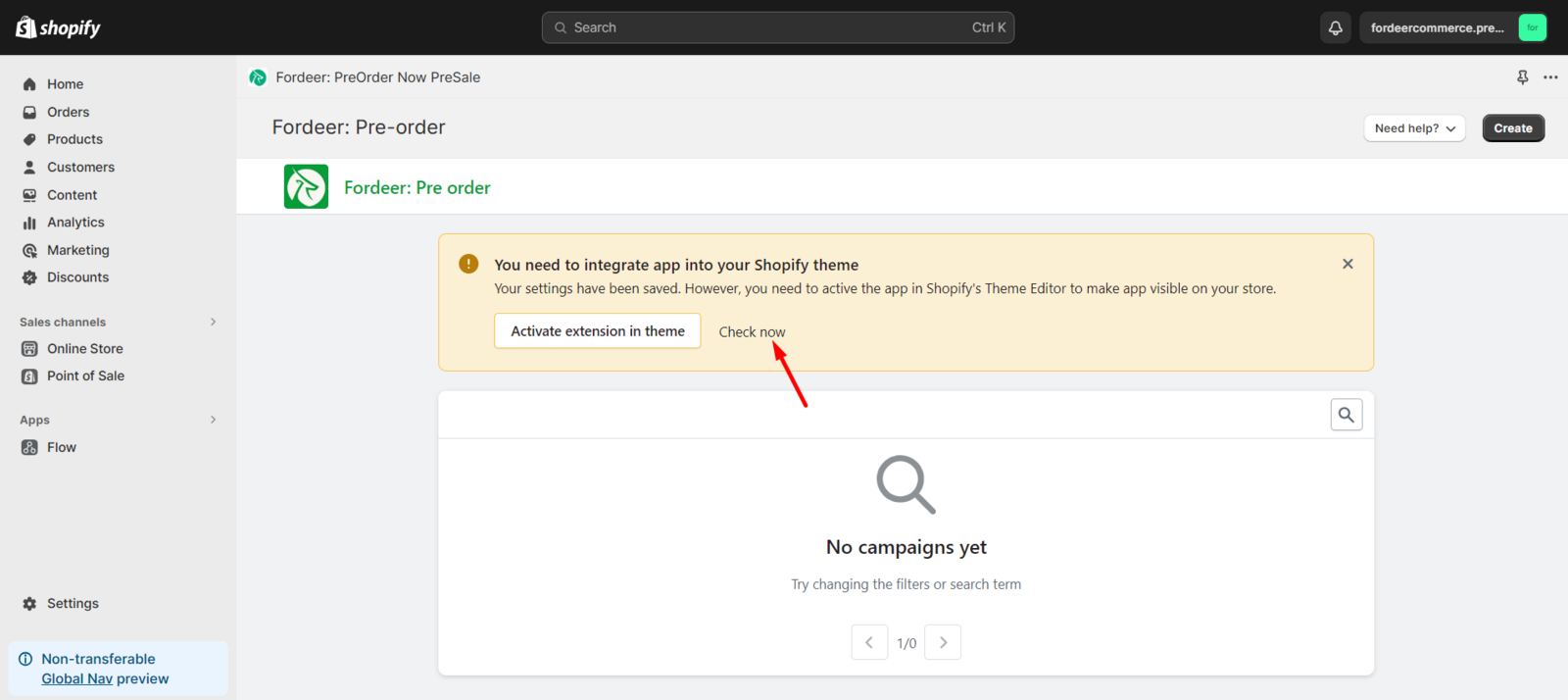
If the extension has been turned on successfully, the banner on the dashboard will be removed.
We value your feedback — it helps us continuously improve ForDeer and provide you with a better experience.
👉 Chat with us: Share your feedback directly with our team.
👉 Email us: hi@fordeercommerce.io
👉 Explore more apps: Discover more Fordeer apps.
👉 Join our community: Join ForDeer Community to get the latest updates, tips, and special deals.
🕐 Working hours: 8:30 AM – 5:00 PM (UTC+7), Monday–Friday.
We typically reply to live chats within minutes and emails within a few hours.
Need help? Feel free to reach out anytime via live chat or email!