

You have the flexibility to modify the campaign's name directly within the campaign settings.
To change the name of the campaign, kindly go to Setup PreOrder Offer Name & Trigger section in the Information page.
You can definitely see the option Campaign name when sliding to this section. Here you can customize the name to meet your needs.
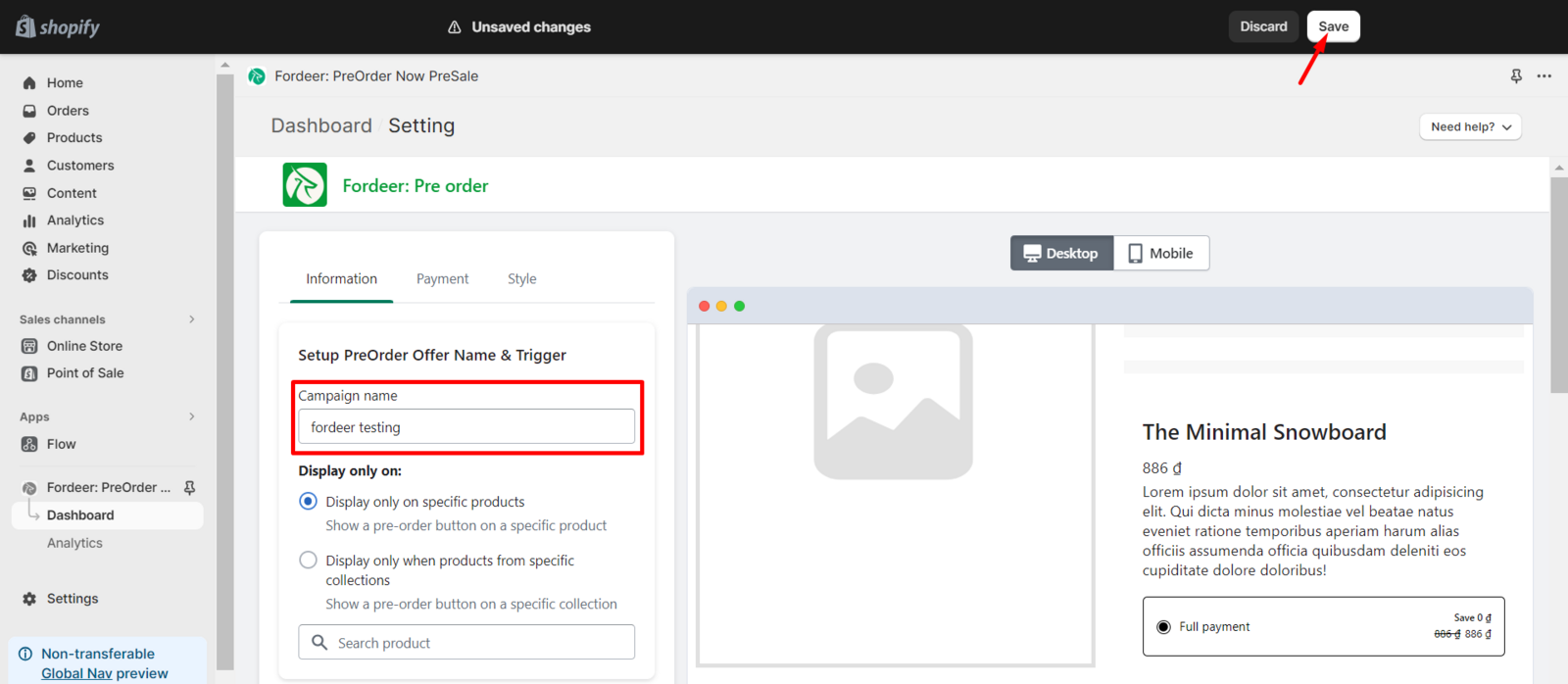
Always remember to click Save at the end to make sure everything has been updated. This name is exclusively visible to you, ensuring that your customers no longer have access to this information.
We value your feedback — it helps us continuously improve ForDeer and provide you with a better experience.
👉 Chat with us: Share your feedback directly with our team.
👉 Email us: hi@fordeercommerce.io
👉 Explore more apps: Discover more Fordeer apps.
👉 Join our community: Join ForDeer Community to get the latest updates, tips, and special deals.
🕐 Working hours: 8:30 AM – 5:00 PM (UTC+7), Monday–Friday.
We typically reply to live chats within minutes and emails within a few hours.
Need help? Feel free to reach out anytime via live chat or email!