

If you want to add the delivery notice text to the pre-order widget, kindly follow this below guidelines to get your requirements:
-
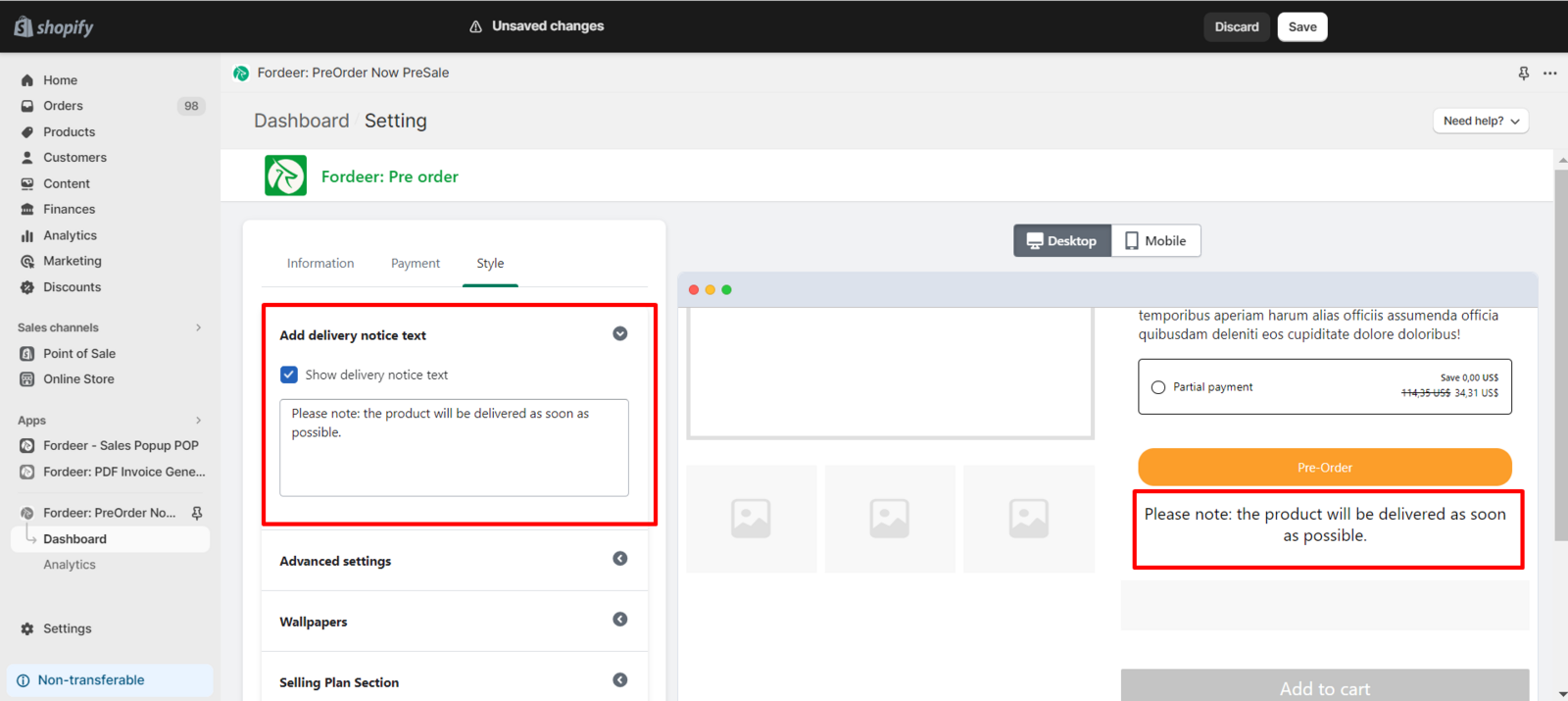
Navigate to the Style page, then scroll to locate the Add Delivery Notice Text option.
-
Customize the content of the delivery notice text according to your specific requirements.
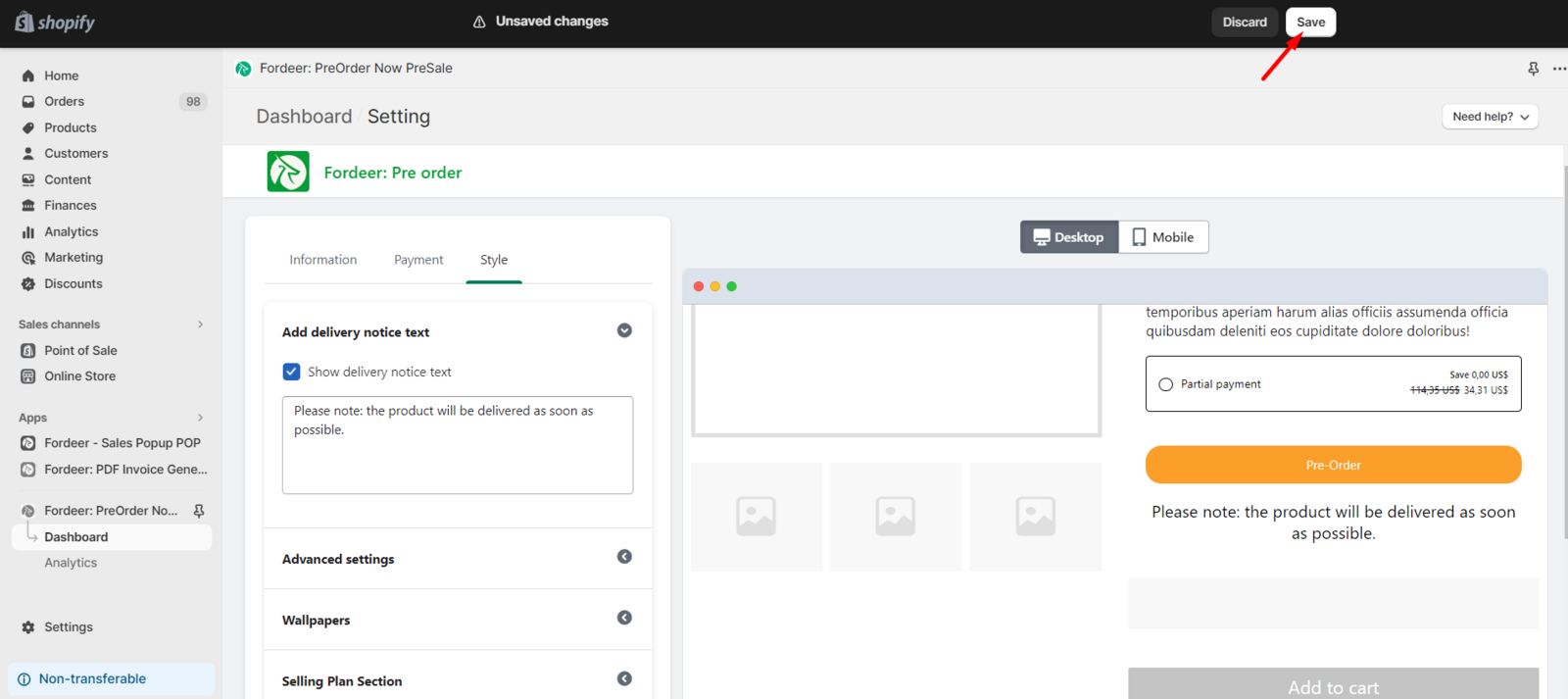
- To ensure that all changes are applied, be sure to click the Save button at the end.
We value your feedback — it helps us continuously improve ForDeer and provide you with a better experience.
👉 Chat with us: Share your feedback directly with our team.
👉 Email us: hi@fordeercommerce.io
👉 Explore more apps: Discover more Fordeer apps.
👉 Join our community: Join ForDeer Community to get the latest updates, tips, and special deals.
🕐 Working hours: 8:30 AM – 5:00 PM (UTC+7), Monday–Friday.
We typically reply to live chats within minutes and emails within a few hours.
Need help? Feel free to reach out anytime via live chat or email!