

This feature will activate the pre-order button exclusively for products belonging to designated collections. By implementing this customization, the pre-order option becomes selectively visible, aligning with specific product categories and enhancing the precision of your marketing strategy.
Steps to manage:
-
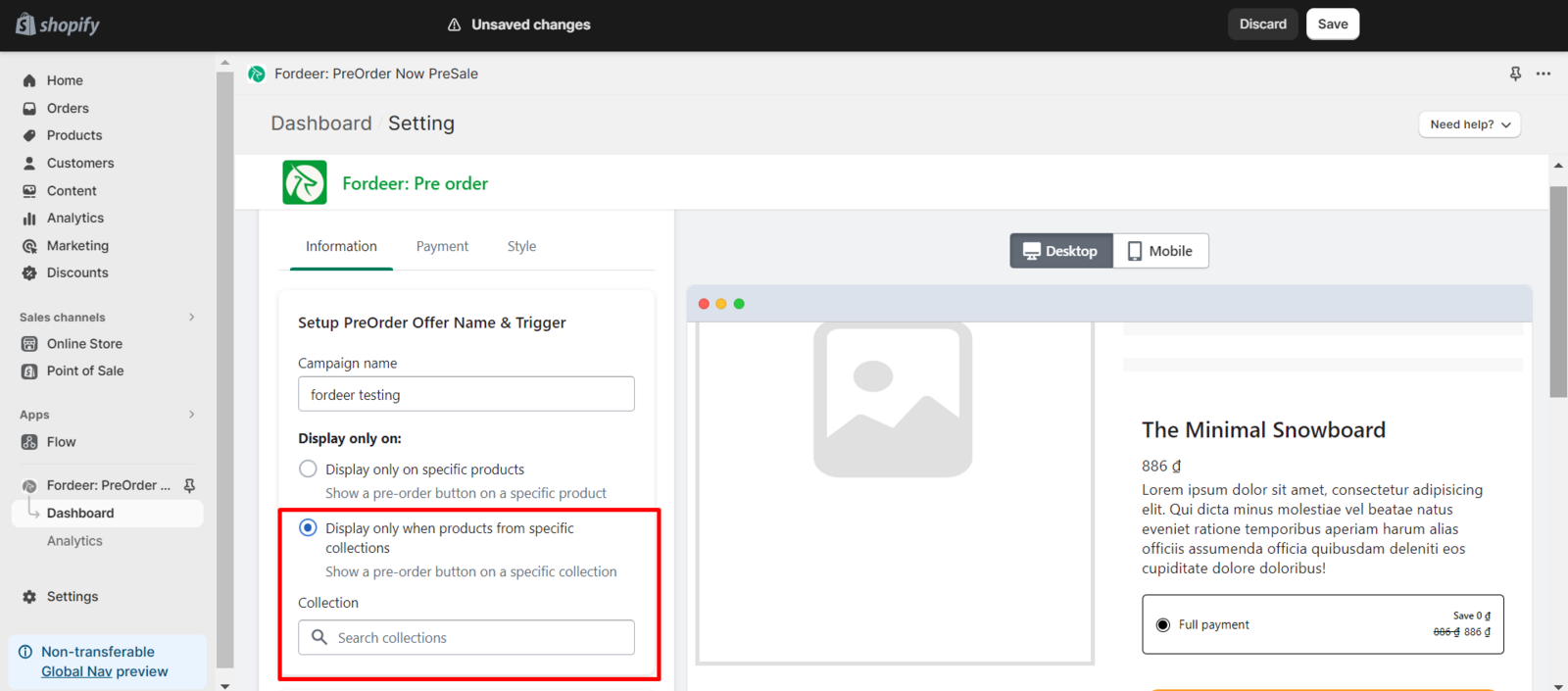
Kindly go to Setup PreOrder Offer Name & Trigger section in the Information page.
-
Take a look in the Display only on section.
-
Select the Display only when products from specific collections, a search bar collection will appear.
-
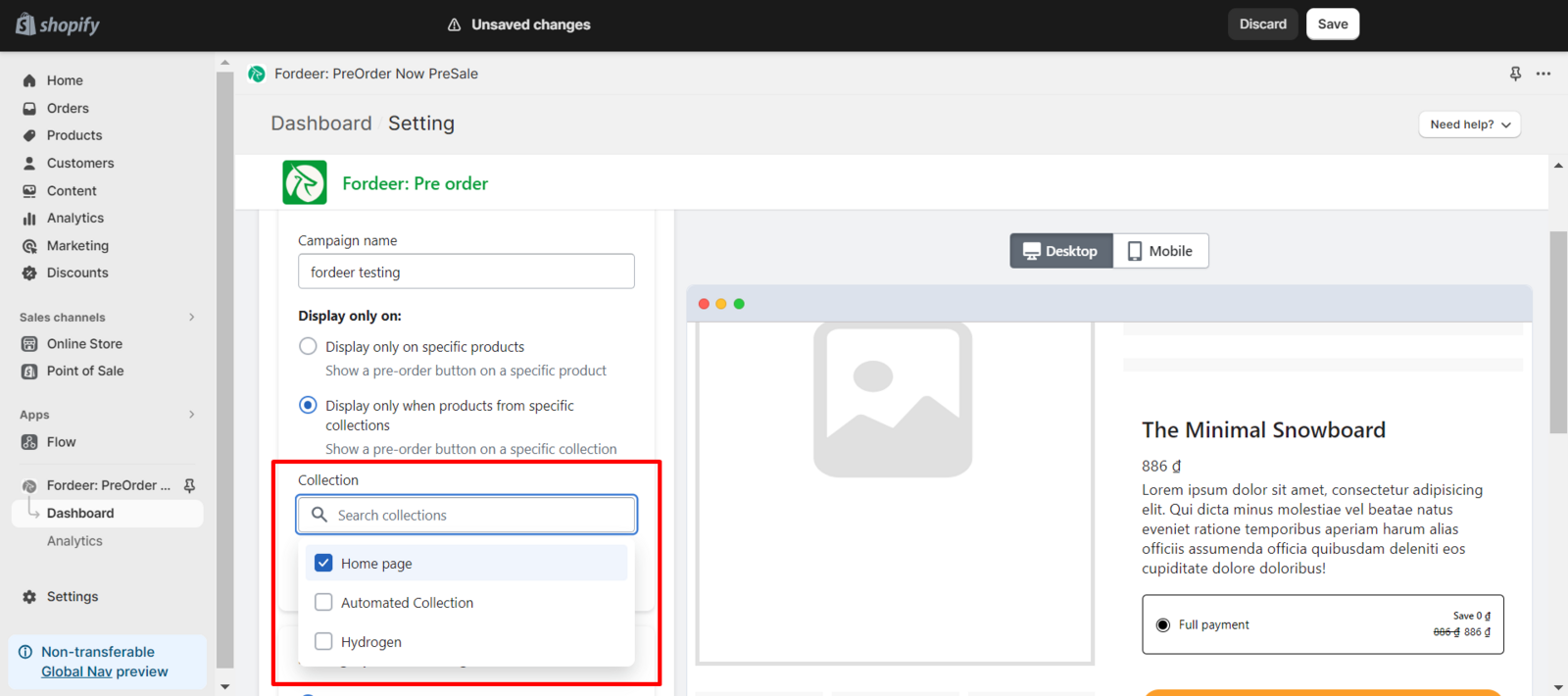
Click to the Search collections search bar, all the collections will show
-
Put a check mark on the collections you want to show the pre-order button
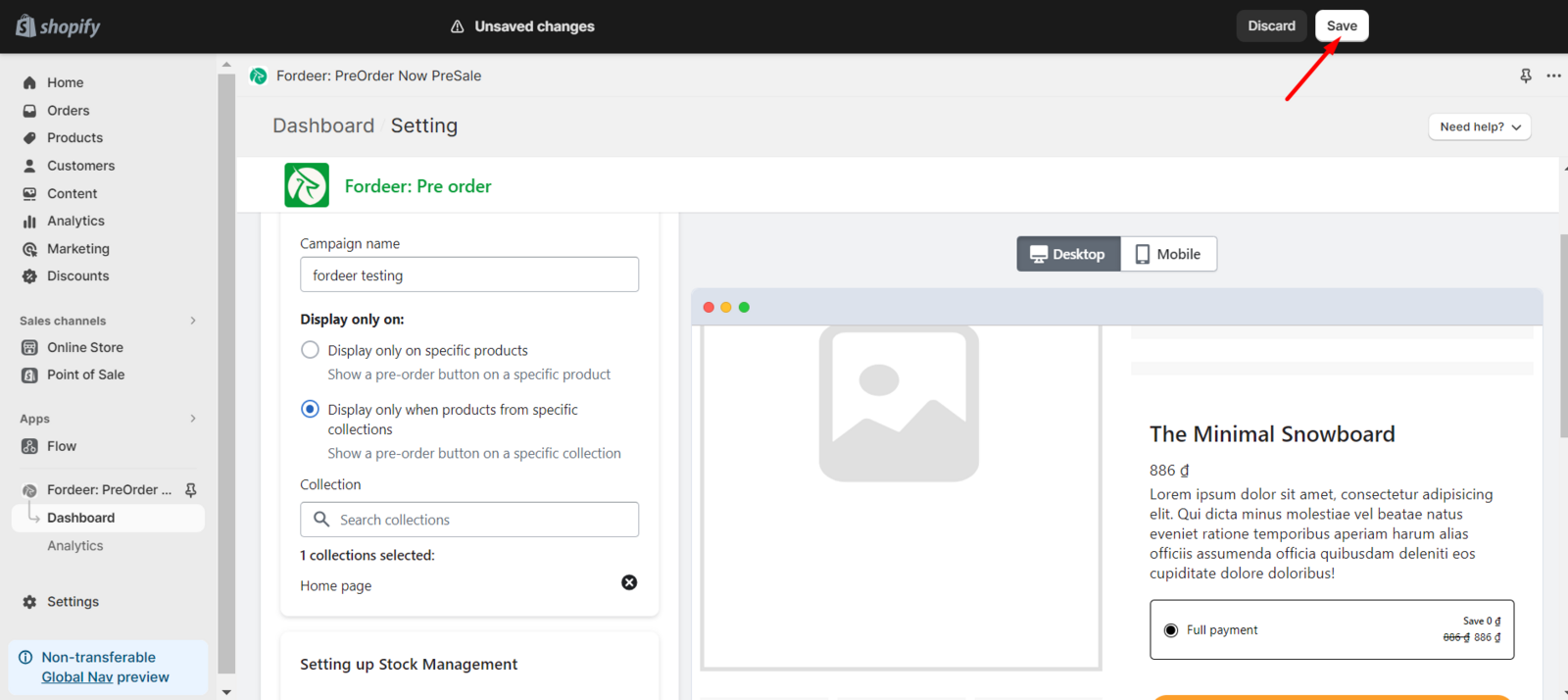
- Click Save to make sure everything has been updated.
This tailored display ensures that the pre-order functionality is seamlessly integrated into the shopping experience for products within the specified collections, offering a refined and purposeful approach to your online store presentation.
We value your feedback — it helps us continuously improve ForDeer and provide you with a better experience.
👉 Chat with us: Share your feedback directly with our team.
👉 Email us: hi@fordeercommerce.io
👉 Explore more apps: Discover more Fordeer apps.
👉 Join our community: Join ForDeer Community to get the latest updates, tips, and special deals.
🕐 Working hours: 8:30 AM – 5:00 PM (UTC+7), Monday–Friday.
We typically reply to live chats within minutes and emails within a few hours.
Need help? Feel free to reach out anytime via live chat or email!