

As of now, our application doesn't have the built-in functionality to automatically translate the pre-order section into various languages. Therefore, you'll need to manually edit the text in your preferred language.
Thus, kindly follow these steps below to be able to translate all the information in the Pre-order widget:
- Navigate to the Style page, then scroll to locate the Translation option.
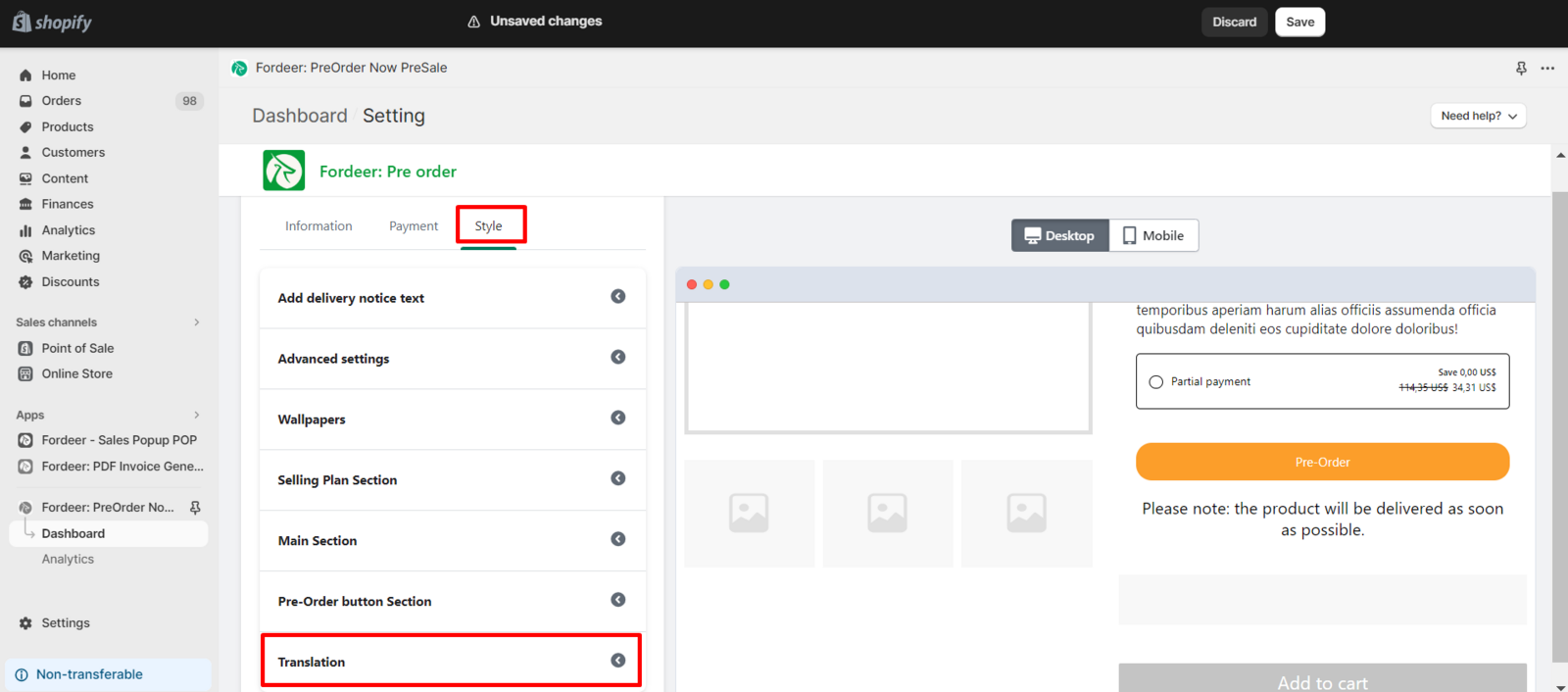
-
Change the text to meet your needs.
-
Click Save at the end to make sure everything has been updated successfully.
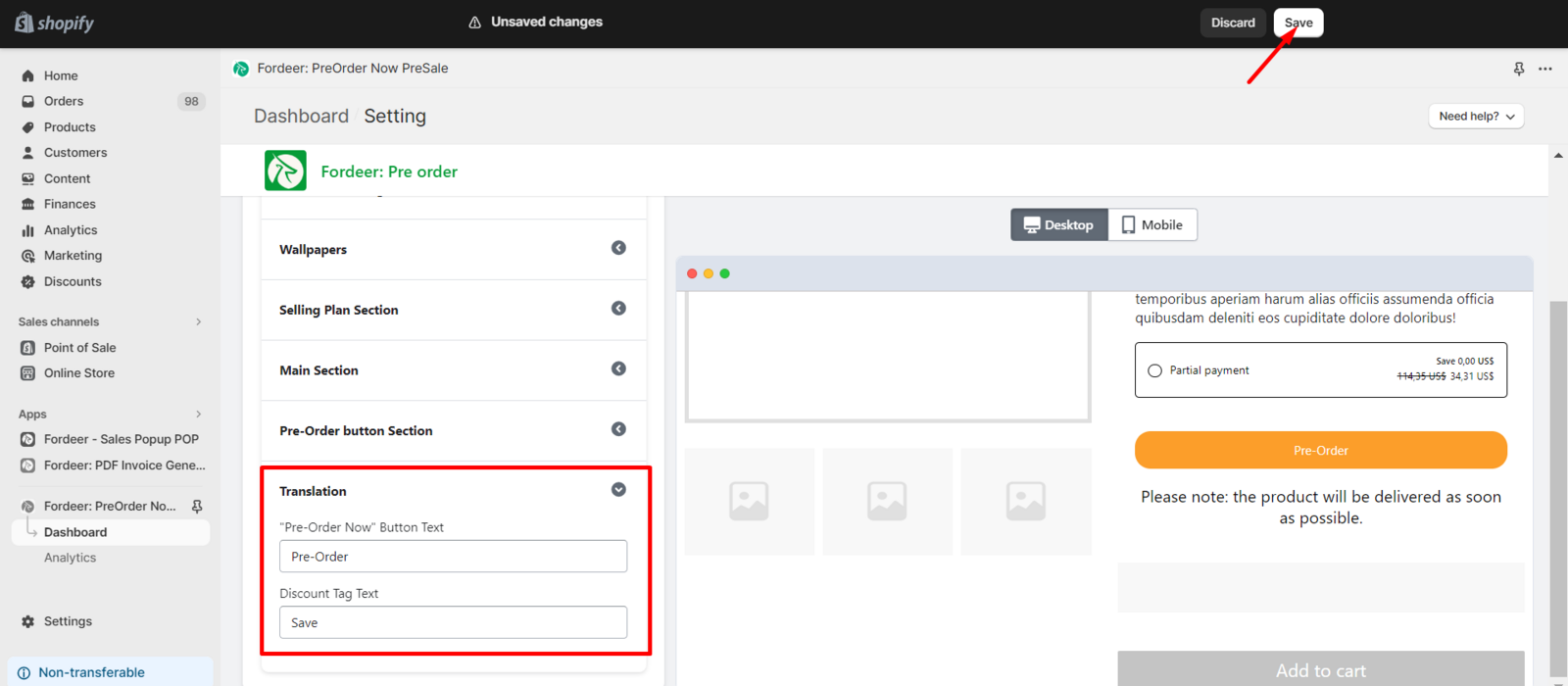
While we understand the importance of multilingual support, we recommend a meticulous approach to ensure that every element of the pre-order section accurately reflects your intended message in the chosen language. This hands-on editing allows for a more nuanced and culturally relevant presentation, ensuring a seamless experience for users across different language preferences.
As we continually strive to enhance our app, we appreciate your understanding and encourage you to reach out with any specific language customization needs or feedback you may have.
We value your feedback — it helps us continuously improve ForDeer and provide you with a better experience.
👉 Chat with us: Share your feedback directly with our team.
👉 Email us: hi@fordeercommerce.io
👉 Explore more apps: Discover more Fordeer apps.
👉 Join our community: Join ForDeer Community to get the latest updates, tips, and special deals.
🕐 Working hours: 8:30 AM – 5:00 PM (UTC+7), Monday–Friday.
We typically reply to live chats within minutes and emails within a few hours.
Need help? Feel free to reach out anytime via live chat or email!