

To set up the pre-order button, please follow the guidelines below to get your requirements:
-
Navigate to the Style section in the Dashboard page.
-
Select the Advanced settings.
You have the flexibility to select the destination page after customers click the pre-order button, offering three distinct options:
-
Go to cart: redirect to the cart page
-
Go to checkout: direct to the checkout page
-
Go to specific URL: navigate to a specific URL of your choice
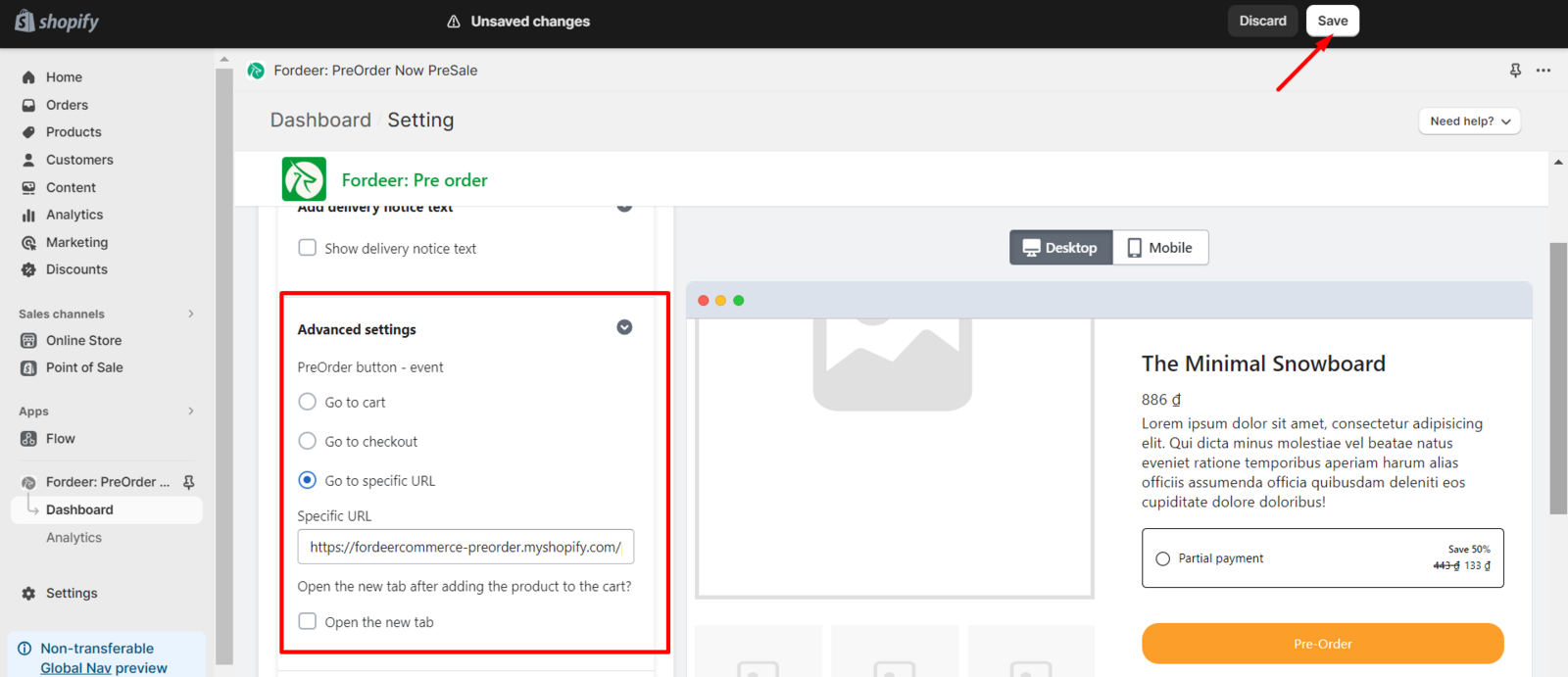
Additionally, you can choose to open a new tab when clicking the pre-order button.
-
After making this selection, click the Save button to preserve all the changes.
We value your feedback — it helps us continuously improve ForDeer and provide you with a better experience.
👉 Chat with us: Share your feedback directly with our team.
👉 Email us: hi@fordeercommerce.io
👉 Explore more apps: Discover more Fordeer apps.
👉 Join our community: Join ForDeer Community to get the latest updates, tips, and special deals.🕐 Working hours: 8:30 AM – 5:00 PM (UTC+7), Monday–Friday.
We typically reply to live chats within minutes and emails within a few hours.Need help? Feel free to reach out anytime via live chat or email!