

Kindly go to Payment page to be able to select the selling plan policy.
You are presented with three distinct choices when it comes to selecting your selling plan for the pre-order button.
1. Only the full payment plan
If you select this option, during the pre-order process, customers will be charged the full price for the product. On the other hand, you can select discount type for the full payment plan to attract customers to pre-order your products, including currency off and percentage off.
Here you can change the name of the full payment plan name to another to meet your needs.
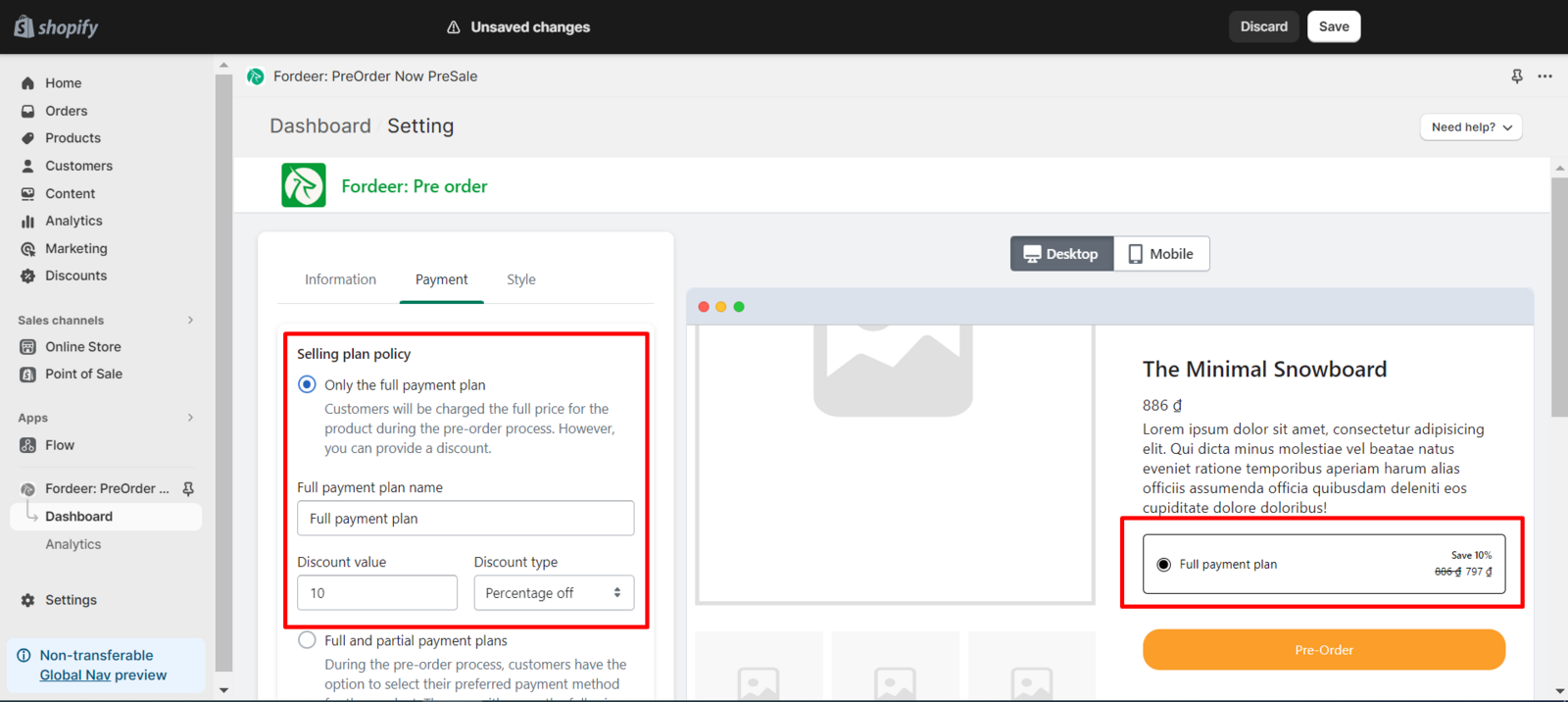
When you change the selling plan setting, you will see the changes reflected in the preview section.
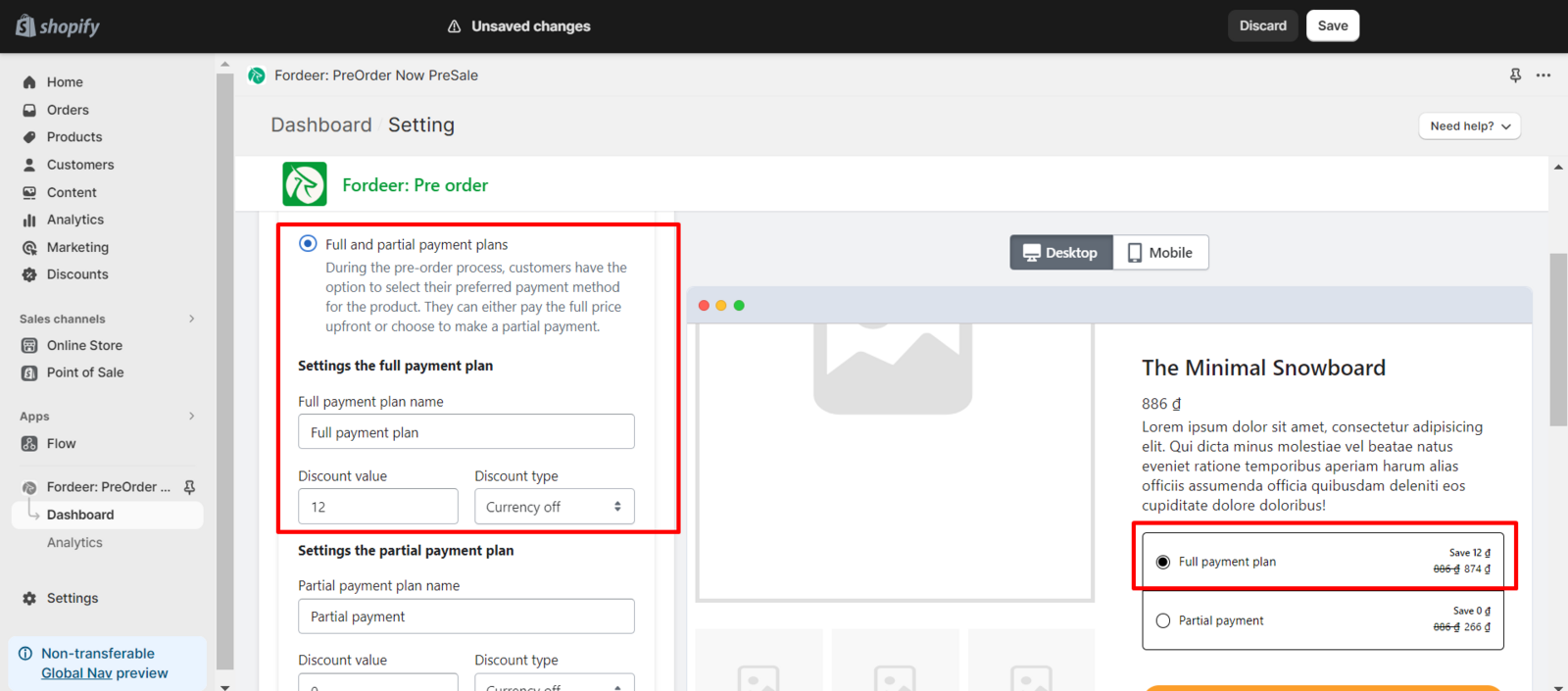
2. Full and partial payment plans
In the pre-order process, customers are given the flexibility to choose their preferred payment method for the product. They can opt to pay the entire full price upfront or select the alternative option of making a partial payment.
In this section, you need to modify the settings for the full payment plan and the partial payment plan.
Settings the full payment plan
Customers will be charged the full price for the product during the pre-order process. However, you can provide a discount in percentage or currency off to attract them.
Besides, you can modify the name of the full payment plan to better suit your individual needs.
Settings the partial payment plan
Within this option, you have the ability to personalize the plan name and provide a discount code for customers opting for partial payments.
A crucial aspect of configuring the partial payment plan involves specifying both the upfront amount customers need to pay and the final payment. Additionally, you can determine the final payment date, choosing between day after checkout or on a specific future date.
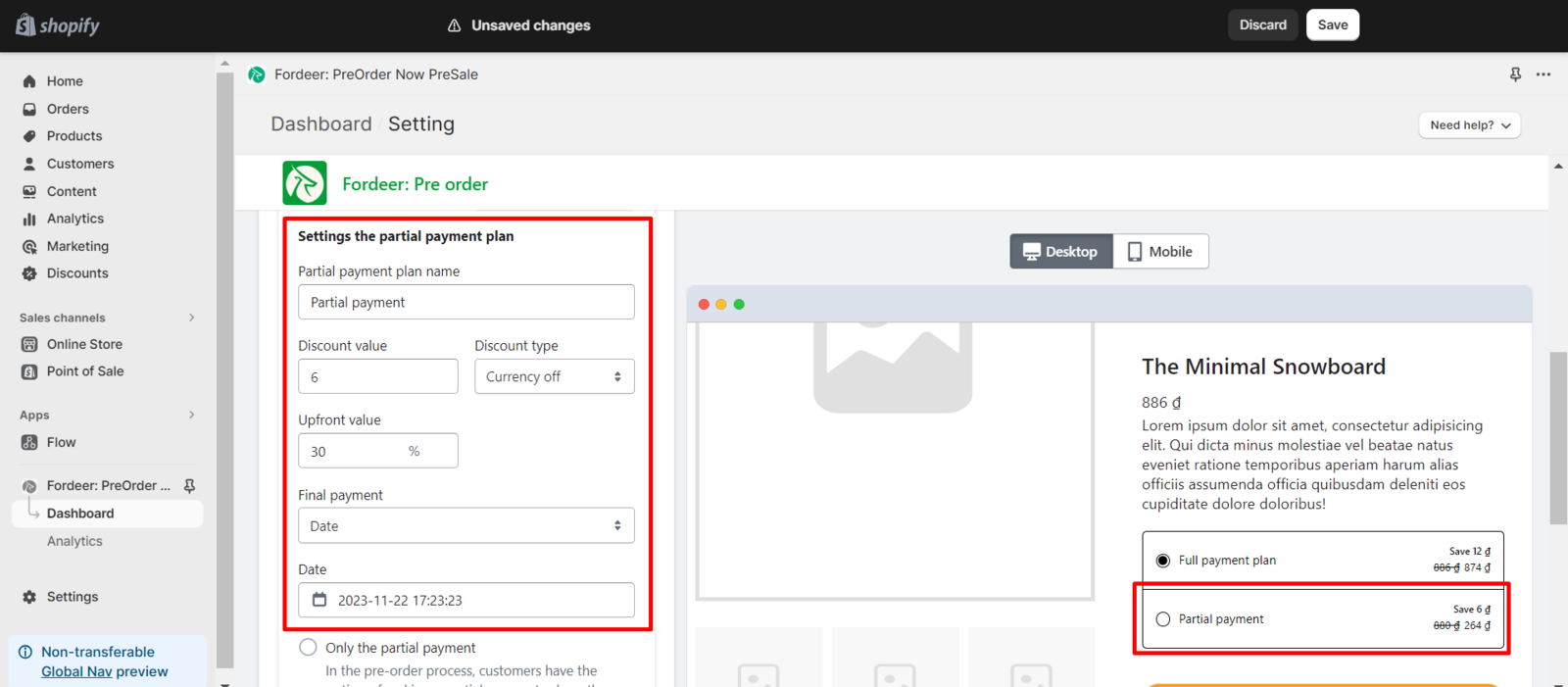
This level of customization ensures a tailored and seamless partial payment experience for your customers.
3. Only the partial payment
In the pre-order process, customers can opt for a partial payment, dividing the total amount in two, with the added option to enjoy a discount.
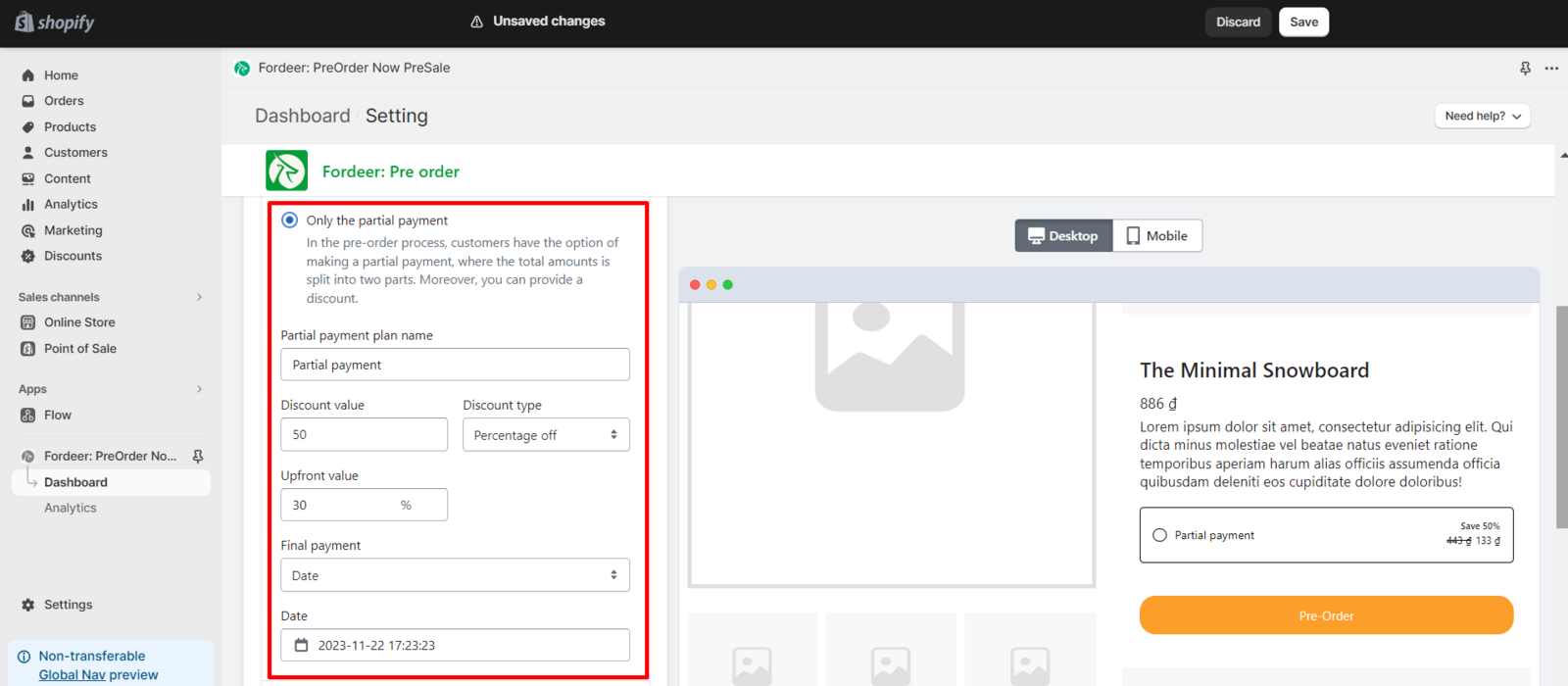
In this option, you can change plan name, offer discount code for your customers when they choose to make a partial payment.
The important part of the partial payment plan setting is you need to select the upfront value for the customers need to pay and the final payment.
You can choose the final payment is day after checkout or a specific day.
We value your feedback — it helps us continuously improve ForDeer and provide you with a better experience.
👉 Chat with us: Share your feedback directly with our team.
👉 Email us: hi@fordeercommerce.io
👉 Explore more apps: Discover more Fordeer apps.
👉 Join our community: Join ForDeer Community to get the latest updates, tips, and special deals.
🕐 Working hours: 8:30 AM – 5:00 PM (UTC+7), Monday–Friday.
We typically reply to live chats within minutes and emails within a few hours.
Need help? Feel free to reach out anytime via live chat or email!